Video Stream [Tab 41]

The Video Stream display allows you to view incoming streaming video.
Video Stream can be opened in a standalone tab from the Workspace Layout Menu or by using [Tab] & [4][1].
Overview
The following viewing options are available via the dropdown menus at the top of the Video Stream display.
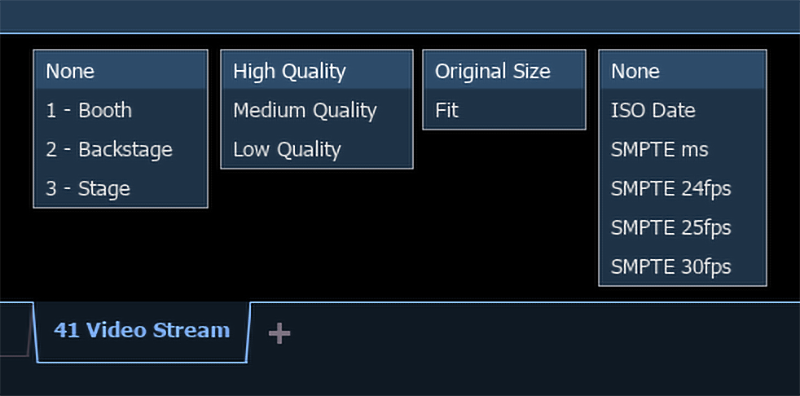
Stream
Select from available network video streams.
Video streams must be added and configured via Setup > System Settings > Video Streams before they can be viewed elsewhere in Eos.
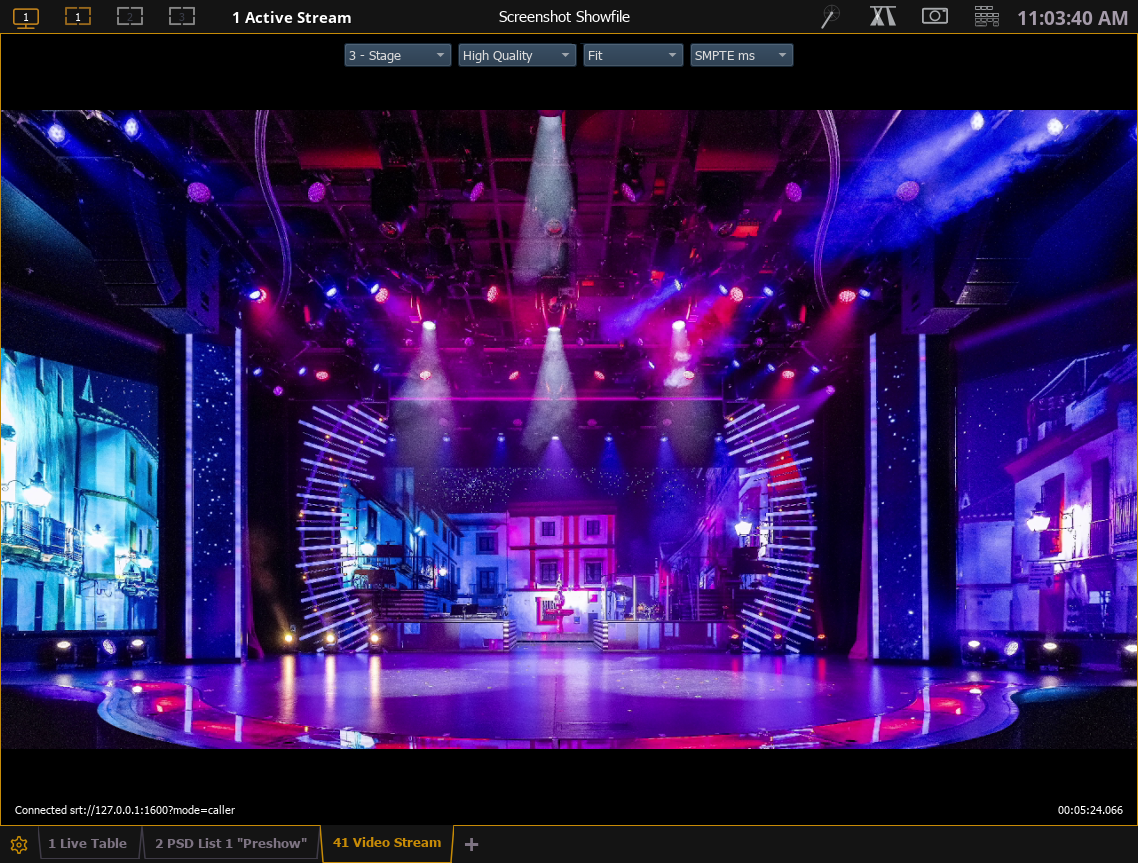
Once selected, the stream will display in the tab.
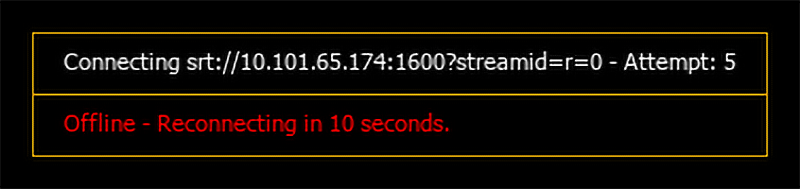
If the stream cannot be reached, Eos will attempt to reconnect at 10-second intervals, noting the number of connection attempts.
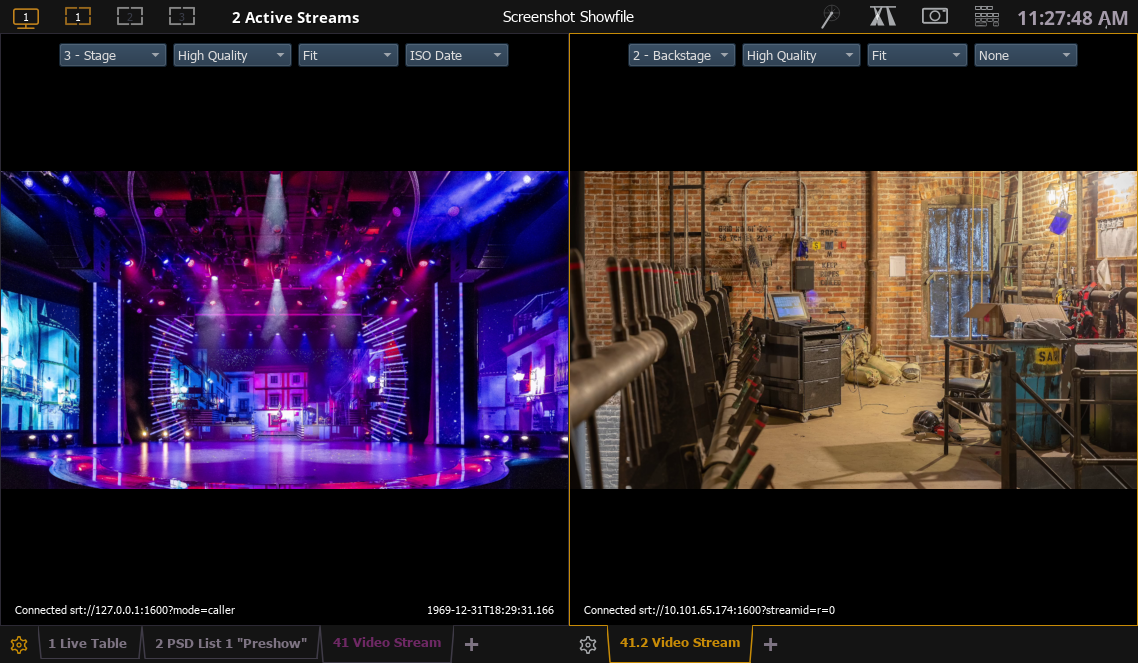
More than one instance of the Video Stream tab may be opened in order to view multiple streams simultaneously.
Quality
The Quality dropdown allows you to choose how this Video Stream tab renders the video from the selected stream:
- High Quality - the video is rendered with the most fidelity, using the most system resources.
- Medium Quality - default. Fewer resources are used to render the video.
- Low Quality - the video is rendered using the fewest resources possible.
Lowering the quality of video stream displays may help free up system resources and improve speed or responsiveness.
Size
Choose between the following video size options:
- Original Size - video is displayed at full size. Video will be cropped if its full size exceeds the size of the tab.
- Fit - video is scaled up or down to fit the size of the tab.
Time
Displays how long the current stream has been active. The selected time will appear in the bottom-right corner of the tab.
Choose between the following playback time formats:
- None (default)
- ISO Date - the ISO 8601 date in the format YYYY-MM-DD and time in the format THH:MM:SS:MSS.
- SMPTE ms - SMPTE time in milliseconds.
- SMPTE 24fps - SMPTE time at 24 frames per second.
- SMPTE 25fps - SMPTE time at 25 frames per second.
- SMPTE 30fps - SMPTE time at 30 frames per second.
Active Streams
The number of active streams is indicated in the header bar next to the Workspace icons. Select the indication to view a dropdown menu of all stream options.
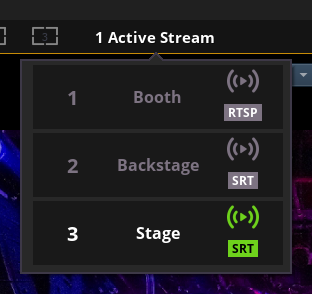
Currently-active streams are indicated in white text with a green logo. Inactive streams are grayed out.
Streaming Video Specifications
Eos can receive and display the following formats of streaming network video:
Sources must use the H.264 codec.
Displaying Streams
Eos can connect to any number of separate video sources.
Total simultaneous video stream input is typically determined the Source Stream Limits of the devices providing network video, and, to a lesser extent, the processing power and bandwidth of your system.
Lowering the quality of video stream displays may help free up system resources and improve speed or responsiveness.
Eos can display video streams in the following ways:
- One or more instances of the Video Stream tab can be opened at once.
- Video Stream objects can be added to Magic Sheets.
- Videos can be used as Augment3d Materials.
- Videos can be overlaid on Augment3d using the Camera Tool.
- Videos can be used as Pixel Map Media.
Video streams must be added and configured via Setup > System Settings > Video Streams before they can be viewed elsewhere in Eos.
Active streams will be indicated in the header at the top of the display.
Source Stream Limits
CAUTION: Streaming video sources are limited in the number of streams they can transmit simultaneously. Exceeding these limits can cause your system to not work as expected or desired. Consult the documentation of any third-party sources to determine the limits for your devices.
The limits of your video sources may impact how streams can be viewed in Eos. For example, a source that only supports a single stream at a time could not be displayed on a Magic Sheet and in Augment3d at the same time.
In Multi-Console Sessions, each device in the session displaying video from a source counts as an individual stream, which can easily exceed the source's stream limit, especially in larger sessions or sessions utilizing pixel mapping.
Some source devices may activate a protection mode if their stream limit is exceeded and stop transmitting entirely.